
Your profile
Open Your profile at the bottom of the Studio menu.
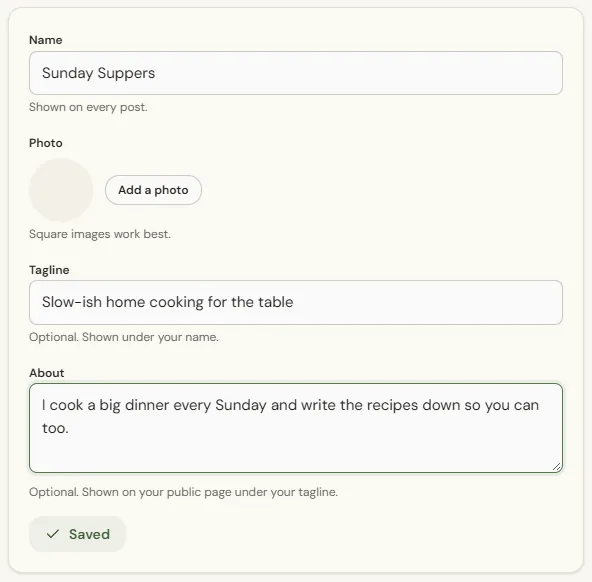
| Field | What it is |
|---|---|
| Name | Shown on every post. Up to 60 characters. |
| Photo | Your face or logo. Square images work best. |
| Tagline | Optional. One line under your name, up to 80 characters. |
| About | Optional. Shown on your public page under your tagline, up to 600 characters. |
| Colour | Used only inside the Studio, to tell profiles apart. |
Press Save profile. Your posts change straight away; your public page within about 10 minutes.
Your public page
Your page lives at aquietcounter.com/c/ followed by your handle, and lists everything you have live: a featured recipe, your other recipes, then your collections and meal plans. Cooks can open any of them in the app or in their browser.
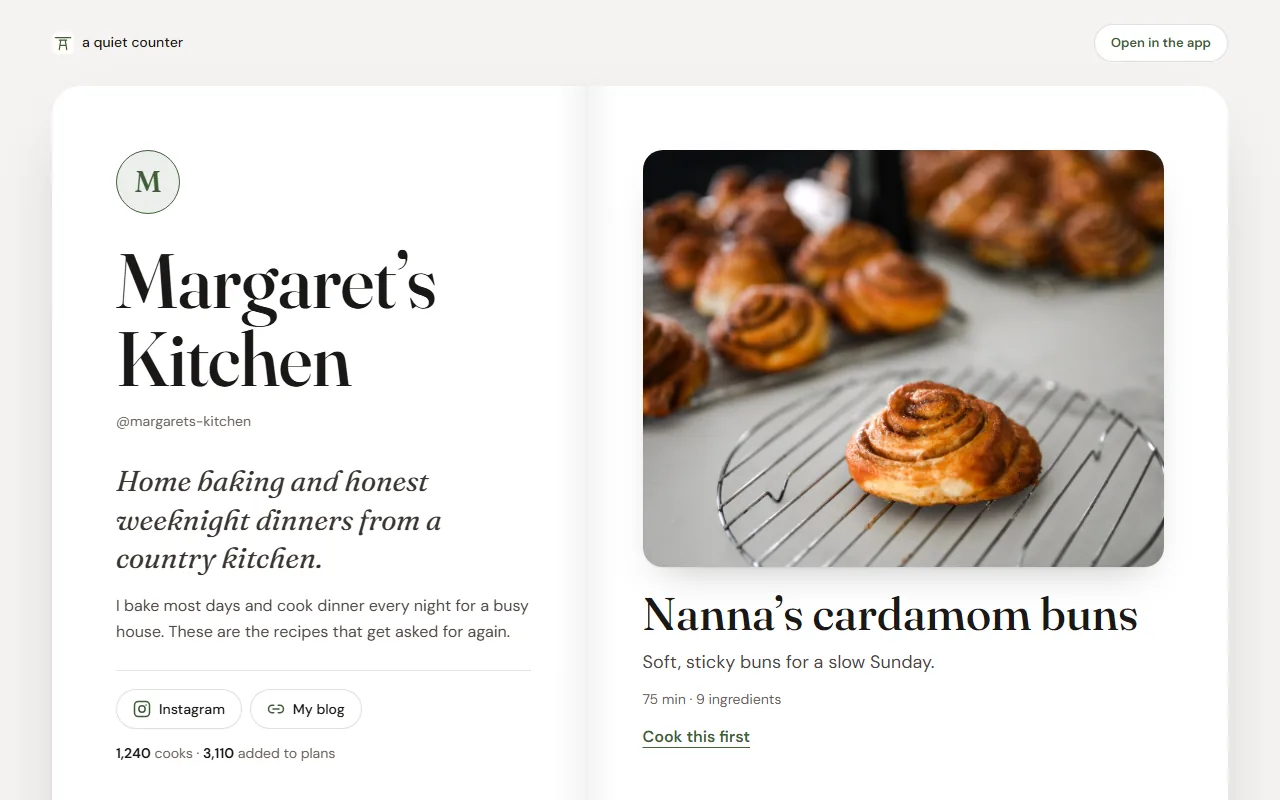
Your cook and plan totals appear under your links once each passes 25.
Colour, featured recipe and order
The Your page section of Your profile sets how the page looks. Press See it to open your page.
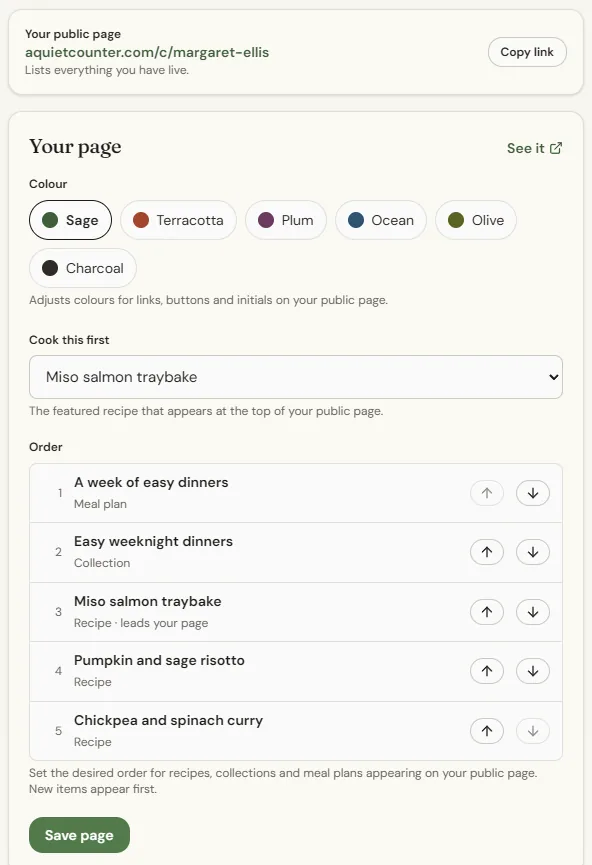
- Colour: adjusts colours for links, buttons and initials on your public page. Choose Sage, Terracotta, Plum, Ocean, Olive or Charcoal.
- Cook this first: the featured recipe that appears at the top of your public page.
- Order: set the order for recipes, collections and meal plans on your page with the up and down arrows. New items appear first.
Press Save page when you are done; the page updates within about 10 minutes. These options appear once you have published something.
Your channel links
Your site, Instagram, TikTok, YouTube, shop or newsletter show as buttons on your page and as links on every recipe, including the copies cooks save. Email the links you want shown to [email protected] and we add them. Tell us when one changes.
Sharing your page
Use your page as the link in your bio, or share it after you publish: the publish panel offers your page link to copy. To be credited for cooks who join, use your own links from the Earnings tab. See sending cooks back to you.