
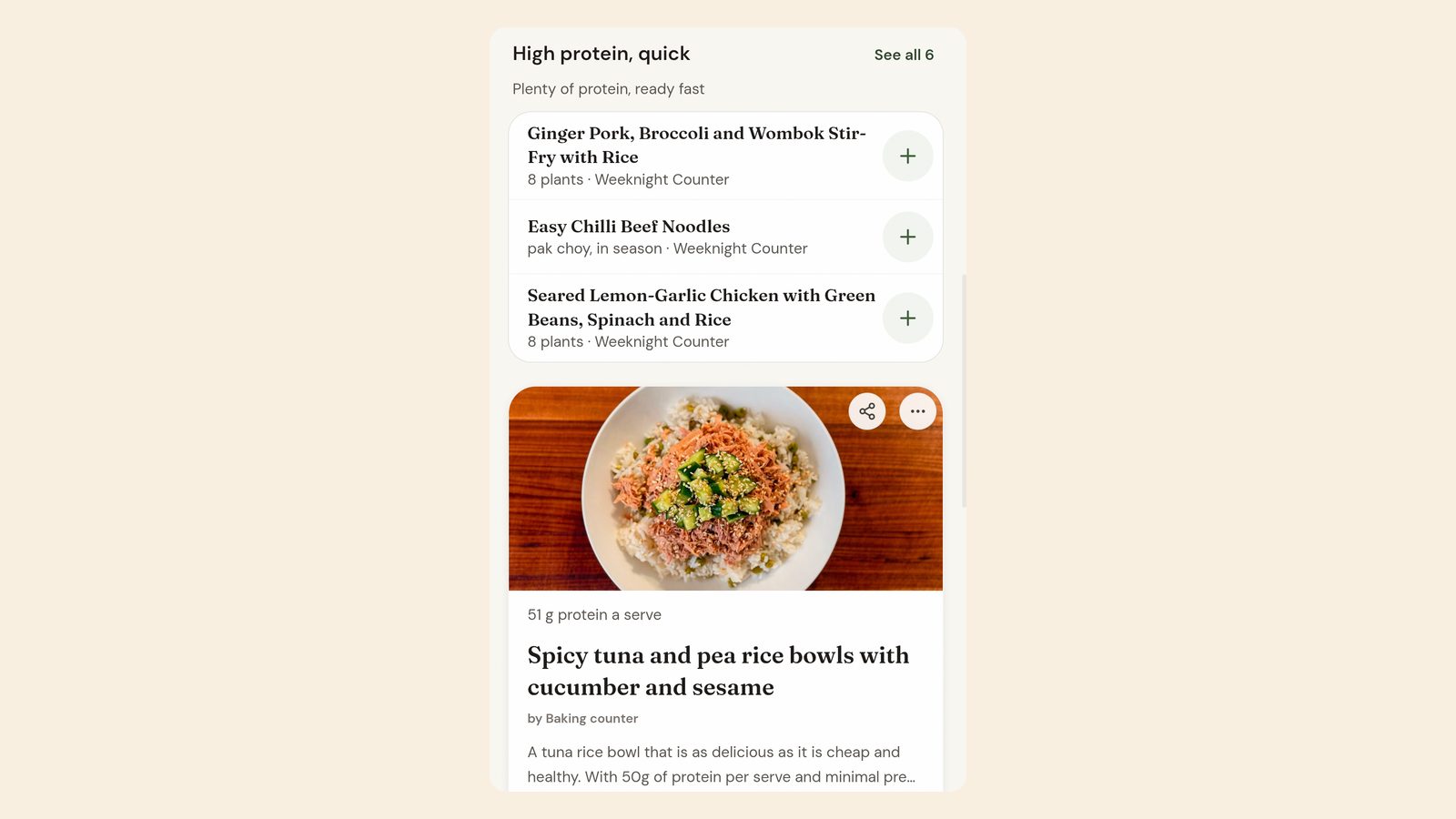
You have a recipe you are proud of, and you would like the people who open Discover to see it. This is how the feed decides, as it works today, so you can give a recipe its best chance before you post it.
The numbers below are the ones the feed currently uses. We can adjust them from our side, so read them as where things stand now, not as a promise. We also do not promise a position in anyone's feed. What follows is what helps.
Start with a photo
A photo lifts a recipe more than anything else. A recipe with a good photo of the finished dish gets a photo card, and the feed currently ranks it higher than the same recipe without one.
If you do only one thing, take the photo. Turn the lights up, get close, and set it as the cover image in Studio.
What a recipe with no photo can do
Without a photo, a recipe can still get a card of its own, a plain one that leads with a single true fact about the dish. It gets that card when it has at least one of these:
- It is built around produce that is in season now.
- It is quick: 20 minutes or less of prep and cook time.
- It has plenty of plants: 8 or more.
- It has plenty of protein: 35 g or more a serve.
- It is colourful: 5 or more colours on the plate.
- Most of the households who tried it cooked it again (once at least 25 households have tried it).
If a recipe has several, the card shows the strongest one. Every figure comes from the recipe itself: the ingredients you list, the prep and cook times you write down, and the app's own nutrition and plant counts. The feed never makes up a fact. If it cannot work one out, the card has none.
The protein line is a little stricter than the rest. It also has to sit in the top fifth of the recipes in the feed at that moment.
What a photo card can say
A recipe with a photo does not need a fact to be shown, but it can carry a short line under the picture when it clears a higher bar: currently 12 minutes or less of prep and cook time, 14 or more plants, 40 g or more of protein, or 6 or more colours. In season and being cooked again are cover-only, so they do not show on a photo card.
When a recipe shows in lists only
A recipe with no photo and none of the things above does not get a card of its own. It can still turn up in the lists the feed builds, such as Chosen for you, and in a creator's collections and meal plans. Studio puts it in one line:
This will show in lists only. Add a photo to give it its own card.
You can fix this at any time. Add a photo and the recipe gets its card from then on.
Where Studio tells you
Studio's recipe builder shows this as you work, in the panel beside the recipe. Before you post, it tells you which fact the recipe would show, or that it will show in lists only. It uses the same rules and the same current numbers as the app.
Two things Studio cannot know. Whether the recipe will be in season depends on where each reader lives and the month they open the app. And the top-fifth test for protein depends on the other recipes in the feed that day. So a recipe can show a line there that the feed holds back, and a seasonal recipe can earn a card Studio did not mention.
Before you post
Take the photo of the finished dish, write the prep and cook times, and check that your ingredients are matched in Studio so the plant, colour and protein counts are real. Then post it.