
If you cook regularly, you already have a recipe library. It is just scattered: browser tabs, Instagram saves, a Notes app full of links, photos of cookbook pages, and that one dish you perfected three years ago that lives only in your head. The problem is not collecting inspiration — it is finding the right recipe when Sunday afternoon arrives and someone asks what is for dinner this week.
a quiet counter treats your library as the foundation of meal planning, not a side feature. Everything you import becomes part of a collection you can schedule, shop from, and cook — free to start, on phone or web.
Why scattered recipes fail at planning time
Recipe hoarding feels productive. Saving a link takes seconds. But planning a week means comparing options, checking ingredients, and balancing variety — and that requires recipes in a consistent, searchable form. A Pinterest board cannot tell you whether you already have three chicken dishes this week. A screenshot cannot aggregate groceries.
Organising your library is really about reducing decision friction later. The hour you spend importing trusted recipes pays back every Sunday when your week fills in minutes instead of hours.
Bring every source into one place
Most home cooks use more than one source. a quiet counter supports multiple import paths so you are not forced to retype what already exists:
- Websites and blogs — paste a URL and pull structured ingredients and steps into your library.
- Photos and screenshots — snap a cookbook page or a friend's handwritten card; the app extracts what it can.
- Text and notes — paste from email, message threads, or old documents.
The goal is not perfect digitisation on day one. It is good enough to cook from, with room to refine over time. Start with the twenty recipes you actually make — not the four hundred you might someday.
Structure that matches how you cook
Tags and rigid folders often fail because they mirror grocery aisles, not real life. You think in terms like weeknight, batch cook, kids will eat it, or uses the coriander before it wilts. Your library works better when recipes carry the metadata you actually filter on: time, protein, season, cuisine, and how often you repeat a winner.
In a quiet counter, your library feeds directly into scheduling. When you plan a week, the app draws from recipes you already trust — not a generic catalogue of strangers' ratings. That is why organisation matters: the library is not an archive; it is the pool your week is built from.
A practical import ritual
You do not need to migrate your entire collection in one sitting. Try this instead:
- Week one: Import your ten most-cooked meals — the ones you could make without looking.
- Week two: Add five aspirational recipes you save repeatedly but never cook.
- Week three: Photograph two cookbook pages you always flip to.
- Ongoing: When you cook something new and love it, import it immediately — while you still remember which soy sauce you used.
Within a month you will have a library that reflects your real kitchen, not an idealised version of it. That is when weekly planning starts to feel calm instead of creative labour.
From library to lived week
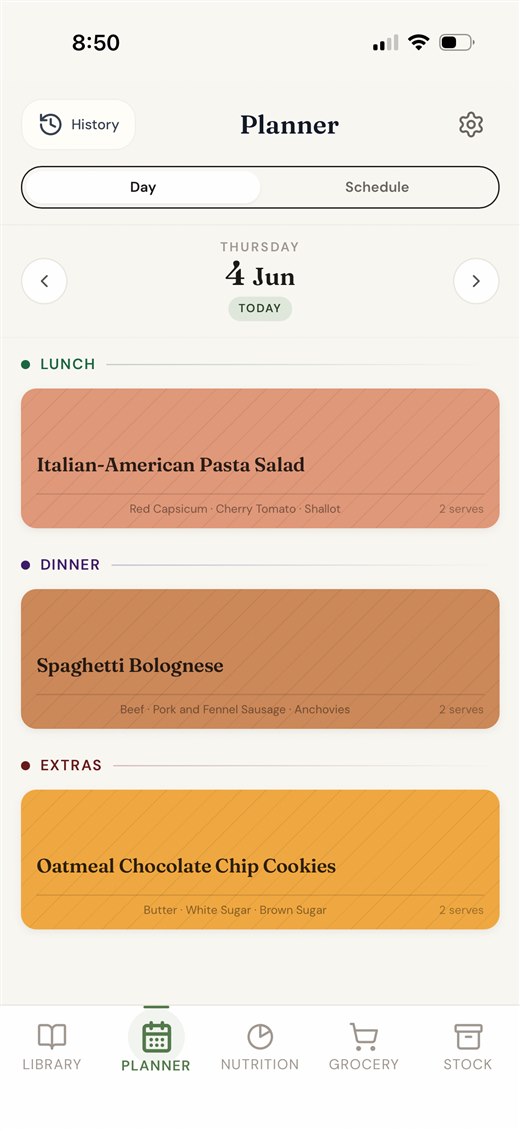
Organisation pays off when recipes leave the shelf. Schedule a meal from your library and its ingredients flow to your grocery list automatically. Cook it, mark it done, and the app learns what you repeat. Next time you are busy, you can rerun a good week in one tap.
If your library is the home for recipes, the plan is the home for time — and that is the loop a quiet counter is built around.