
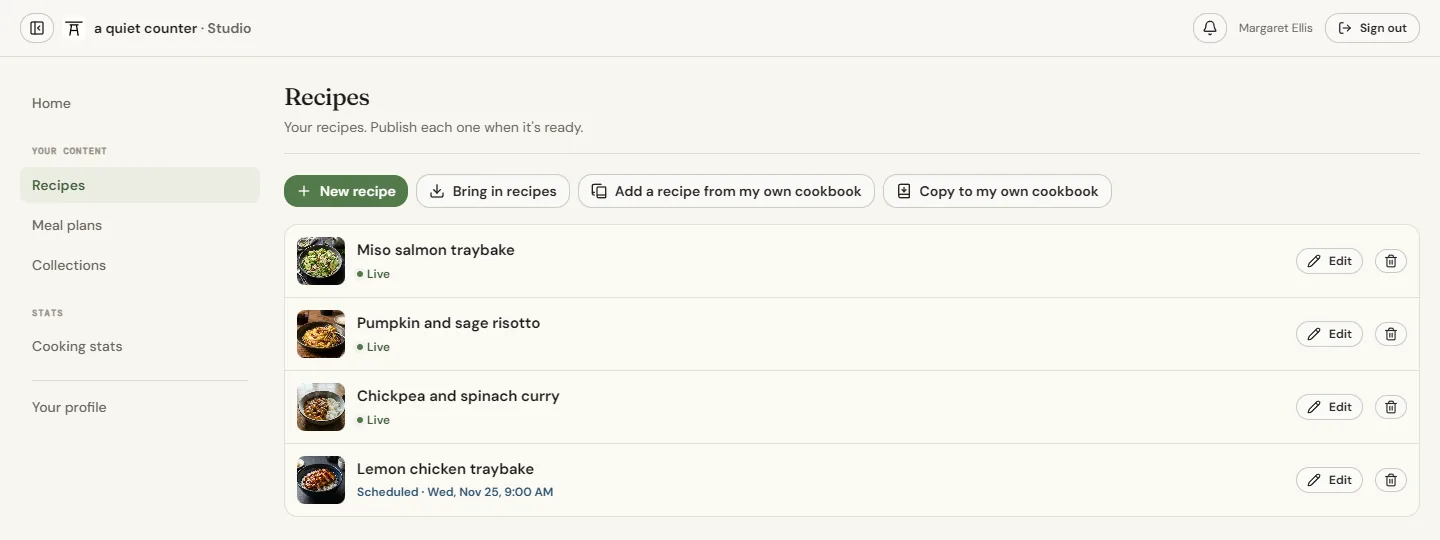
Open Recipes in the Studio menu. The buttons along the top are the ways in.
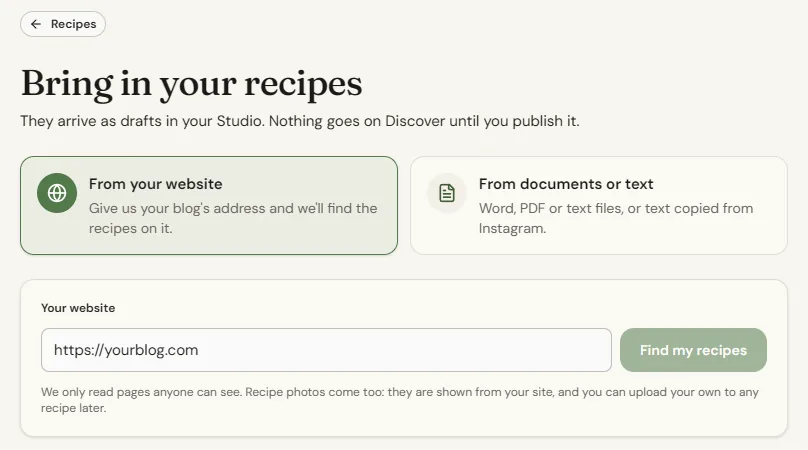
From your website
- Choose Bring in recipes, then From your website.
- Type your blog's address, for example
yourblog.com, and press Find my recipes. - The Studio lists the pages it found. Tick the ones you want (or Select all) and press Bring in. It tells you roughly how long it will take.
Each recipe comes in with its ingredients, method, photo and a link back to the original post. It runs at about nine pages a minute, so 100 recipes take around 11 minutes. You can keep working in the Studio while it runs, and press Stop at any time. Pages with no recipe are left out, and any that fail can be retried with Try these again.
We only read pages anyone can see. Photos are shown from your site, and you can upload your own to any recipe later.
From documents or text
Choose Bring in recipes, then From documents or text. Either drop in files, or paste recipes into the box and press Find recipes.
- Files: Word (.docx), PDF and text files. One file can hold many recipes. Save older Word files (.doc) as .docx first.
- Pasting: copy from an Instagram caption, an email or anywhere else. Paste one recipe or many at once.
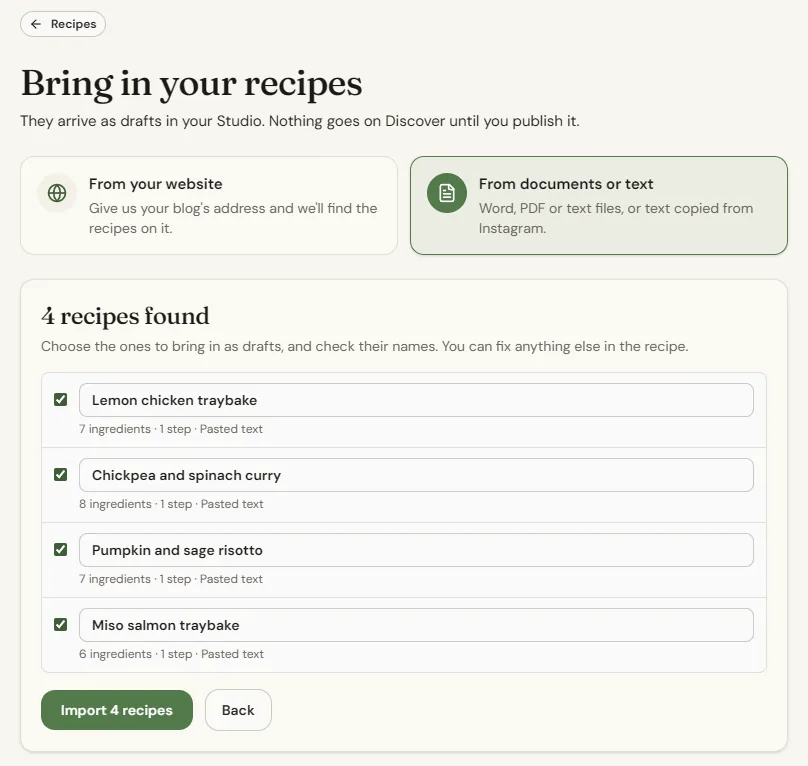
The Studio splits the text into recipes. Untick any you do not want, check the names, and press Import. Photos inside documents do not come across, so add one to each recipe afterwards.
Tip: recipes split most cleanly when each starts with its title, followed by "Ingredients" and "Method" (or "Steps").
Write one from scratch
Choose New recipe. It saves as you type.
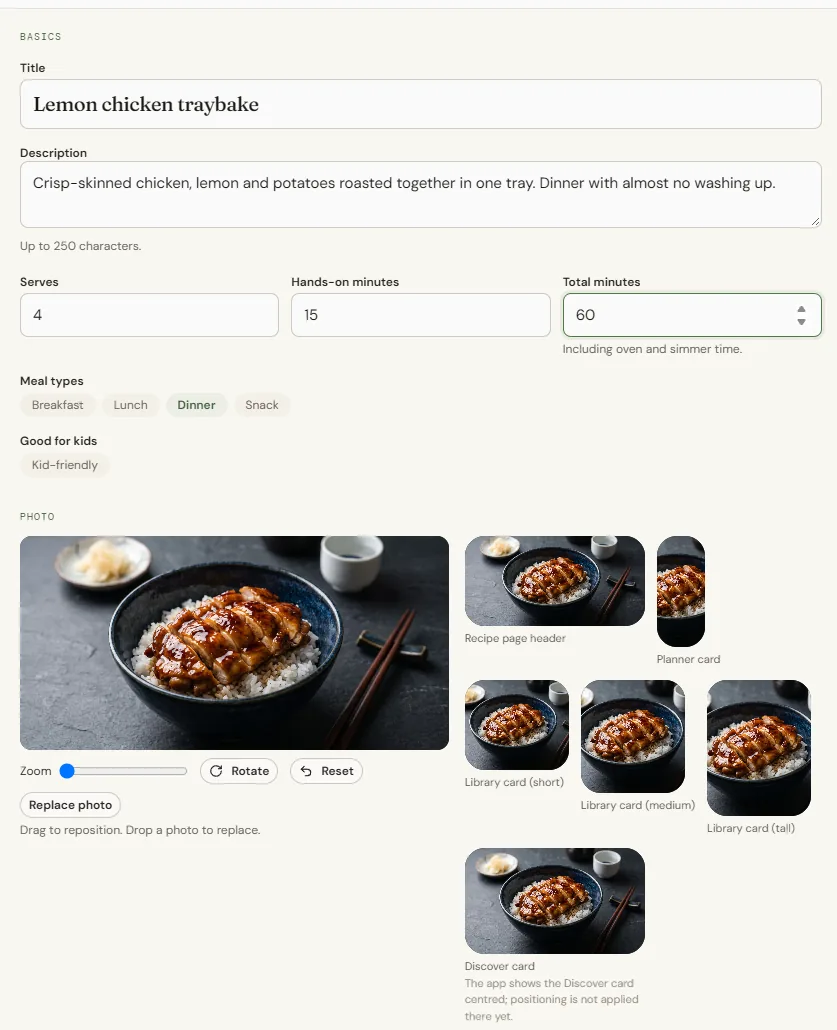
- Basics: title, a description of up to 250 characters, serves, hands-on and total minutes, and meal types.
- Photo: landscape works best. Drag to choose what stays in view and zoom to crop. The previews show how it looks on each card in the app.
- Versions: vegetarian and vegan are set from the ingredients. Tick the others (such as gluten-free) when the recipe meets them as written.
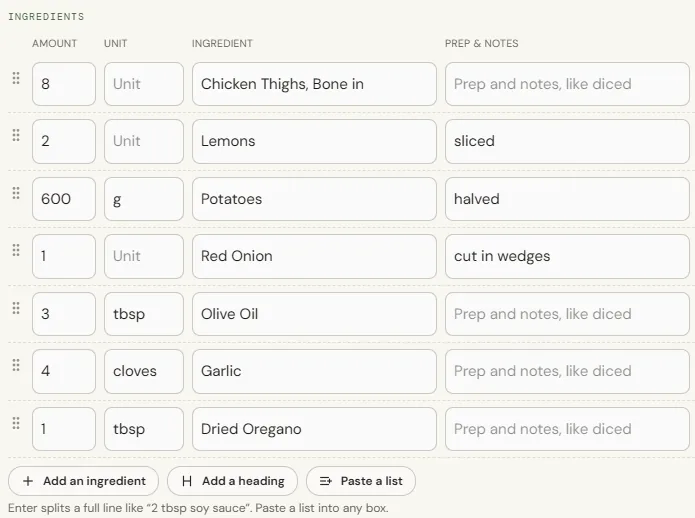
- Ingredients: one per line. Pressing Enter on a full line such as "2 tbsp soy sauce" splits it into amount, unit and ingredient. Paste a list takes a whole list at once.
- Method: one step per box. Paste the method splits pasted steps for you.
- Notes for cooks: tips, swaps and storage. Writing "(see note 2)" in an ingredient links to note 2.
- Details: how hard it is, whether leftovers can be frozen, and whether it can't be scaled (for bakes that can't be halved).
- Private notes: for you and anyone who manages your profile. Never published.
From your cookbook in the app
If you save recipes in the a quiet counter app, Add a recipe from my own cookbook copies them into the Studio. Copy to my own cookbook works the other way.
Checking what came in
Open each recipe before you publish it.
- Ingredients should be recognised, so cooks get nutrition and a sorted grocery list. If one is not, try the everyday name; the editor shows a tip when something needs a look.
- Method: steps in order, nothing missing. Cooks shop and cook from it as written.
- Photo: add or replace one if it is missing or poor.
When it reads right, publish it.
We can do it for you
If your recipes are somewhere else, or anything above is a struggle, email [email protected] with your website address, a list of links, or your files. We bring them in as drafts for you to check. You keep the rights to your recipes either way.