
The screenshots on this page use example numbers.
Where to find them
In Partner Studio, open Cooking stats in the menu. Home also shows how many times each live recipe has been saved, and that count updates straight away.
Until a cook saves or makes one of your recipes, the page says so and shows nothing else.
The four numbers
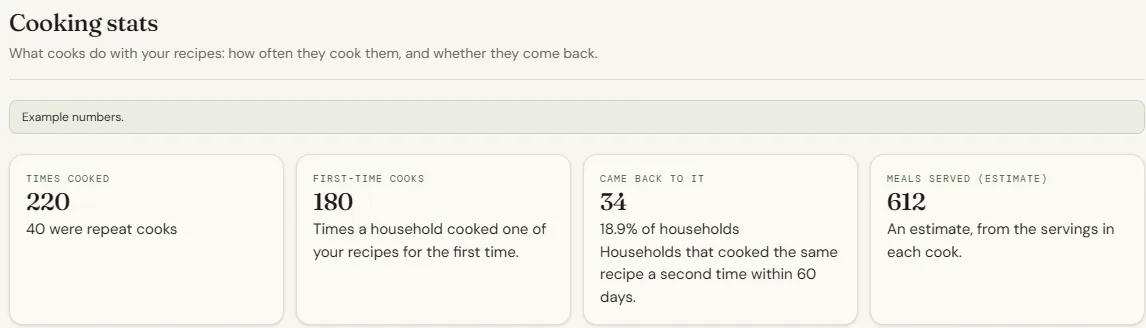
- Times cooked
- Every time a cook marked one of your recipes as cooked. The line underneath counts the repeat cooks within that total.
- First-time cooks
- Times a household cooked one of your recipes for the first time. A household is one cook, or people who share a plan.
- Came back to it
- Households that cooked the same recipe a second time within 60 days, and that as a share of households. This is the strongest sign a recipe has earned a place in someone's week.
- Meals served (estimate)
- Plates, worked out from the servings in each cook. An estimate, so it is labelled as one.
Last 28 days
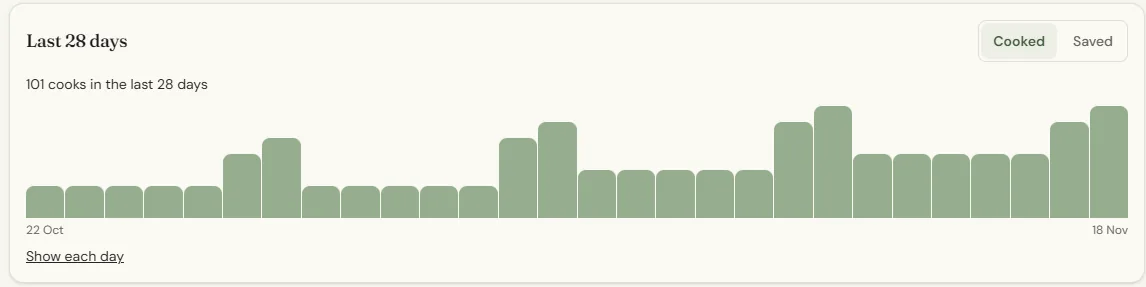
Cooks or saves per day for the last four weeks. Switch between Cooked and Saved at the top right. Show each day lists the numbers.
Example: if your bars jump on Fridays and Saturdays, cooks are making your recipes at the weekend. Weekend-friendly recipes are a good thing to post on a Thursday.
From saved to cooked
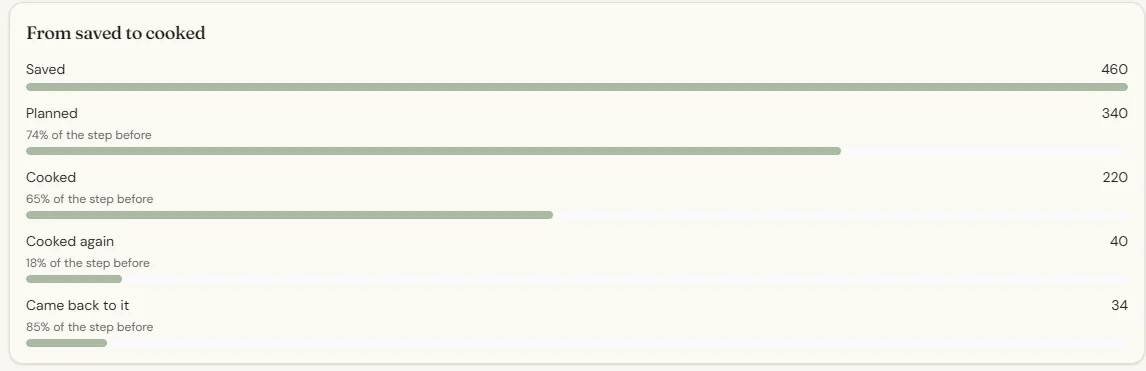
Each step, and what share of the step before it reached the next.
- Saved: a cook added your recipe to their library.
- Planned: they put it on a day in their planner.
- Cooked: they marked it cooked.
- Cooked again: a second cook of the same recipe.
- Came back to it: households that cooked it again within 60 days.
Example: lots of saves but few plans usually means the recipe looks good but reads as hard work. A clearer time, fewer steps or a shorter ingredient list often helps.
Your recipes
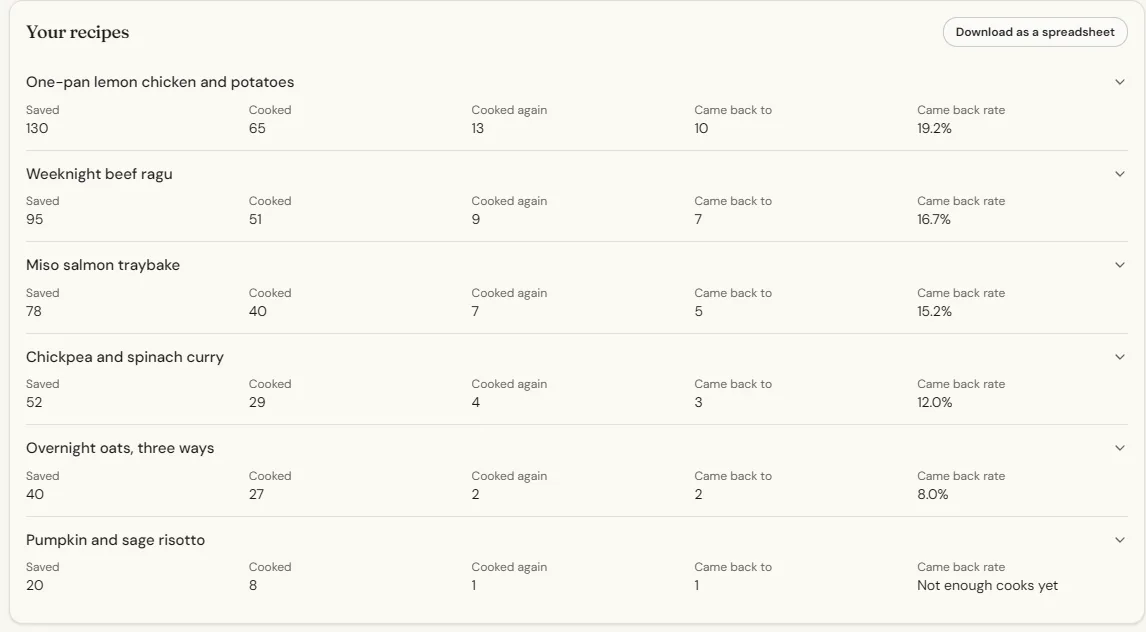
The same steps for each recipe, best first. Came back rate shows once 25 households have cooked a recipe; before that it says Not enough cooks yet.
Open a recipe to see Where cooks stopped: how long cooks spent on each step in cook mode, and where they gave up. It shows once each step has been seen 25 times. A step where many cooks stop or linger is worth rewriting.
Download as a spreadsheet gives you the whole table as a CSV file.
When cooks are busiest
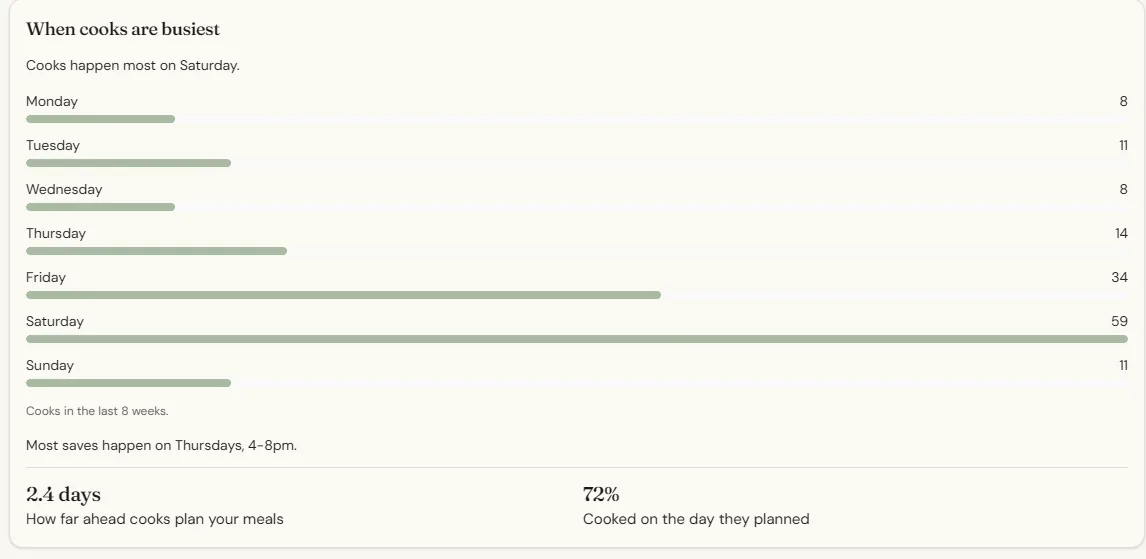
Cooks by day of the week over the last 8 weeks, and the time of week when most saves happen.
- How far ahead cooks plan your meals: the average days between planning a recipe and the day it is planned for.
- Cooked on the day they planned: how often cooks made it on the day they put it on.
Where saves come from

- Discover: cooks found you in the app.
- Your offer code: cooks who joined with your code.
- Web link: saved from a link to the recipe.
- A share code: another cook shared it with them.
- Pasted recipe: they pasted the recipe text in.
This week's notes
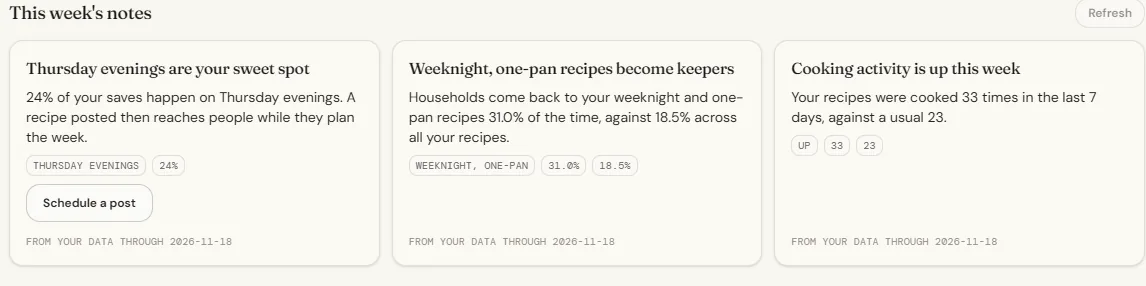
A few short notes written from your numbers each week, such as your best time to post or which kind of recipe cooks come back to. Every number in a note comes from your stats. Some notes carry a button, such as Schedule a post.
Refresh rewrites them from your latest numbers. You have 8 refreshes a month.
Stats card
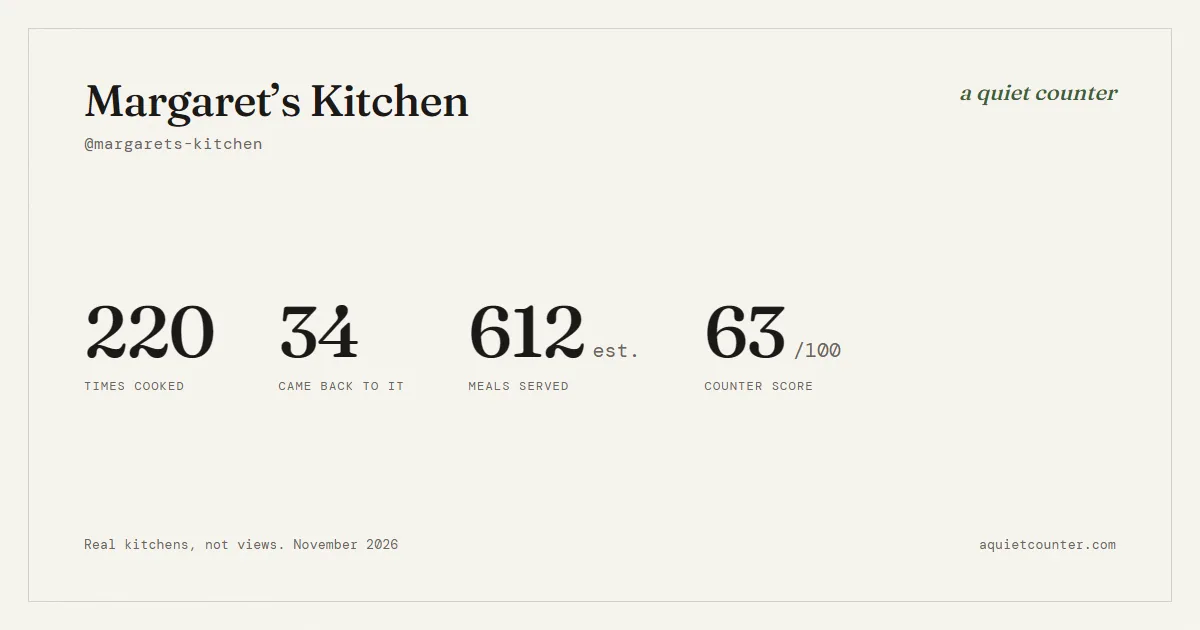
Save stats card downloads a picture of your numbers, sized for social posts and media kits.
Counter score is out of 100 and appears on the card only. 50 is a typical recipe on a quiet counter. It weighs saves, plans, grocery shopping, cooks and repeat cooks, with repeat cooks counting most.
When things update
| What | When |
|---|---|
| "Saved" counts on Home | Straight away |
| Last 28 days chart | Within a few minutes of a cook using the app |
| The four numbers, the funnel, your recipes, busiest times, sources | Once a night, at about 3:30 am Brisbane time |
| This week's notes | Every Monday at about 4:30 am Brisbane time, or when you press Refresh |
| Earnings | As payments arrive; see the terms for when they are payable |
A cook who saves a recipe on Monday shows on Home at once, in the chart within minutes, and in the totals on Tuesday morning.
What we never show
You see counts and shares, never who the cooks are. Rates stay hidden until 25 households are behind them, so no number can point to one person. Your public page shows your cook and plan totals only once each passes 25.
Using your stats
- Post when cooks plan. Schedule new recipes for the time of week in "Most saves happen on".
- Lead with your keepers. Make the recipe with the best came back rate your featured recipe on your public page.
- Fix the step cooks stop at. Check "Where cooks stopped" and rewrite that step.
- Share proof. Use the stats card, or numbers such as "cooked 220 times", when you talk about your recipes.