
How we work together
- You have a partner manager. A real person who helps you get set up, can bring your recipes in for you, and looks after your payouts. Find them on your portal's Home page, or write to [email protected] any time.
- Your recipes stay yours. You choose what goes live, and you can edit or take anything down whenever you like.
- Your recipes and images must be yours. You must own the rights to any content you publish on the platform.
- No fee and no exclusivity. Post the same recipes anywhere else.
- You earn 25% of PLUS subscriptions from cooks you bring in, for their first 12 months, paid monthly. The details are in the program terms.
- Either side can stop at any time. Anything you have already earned is still paid.
Your first steps
- Sign in. Go to aquietcounter.com/portal, enter your email, press Forgot password? and choose your password from the email we send.
- Set up your profile. Your display name, photo and a short tagline go on every recipe. Add any links to your other content channels, cooking schools, catering, or other food related businesses. See your profile and page.
- Import your recipes. From your website, your notes, or one at a time. Or send them to us. See bring your recipes in.
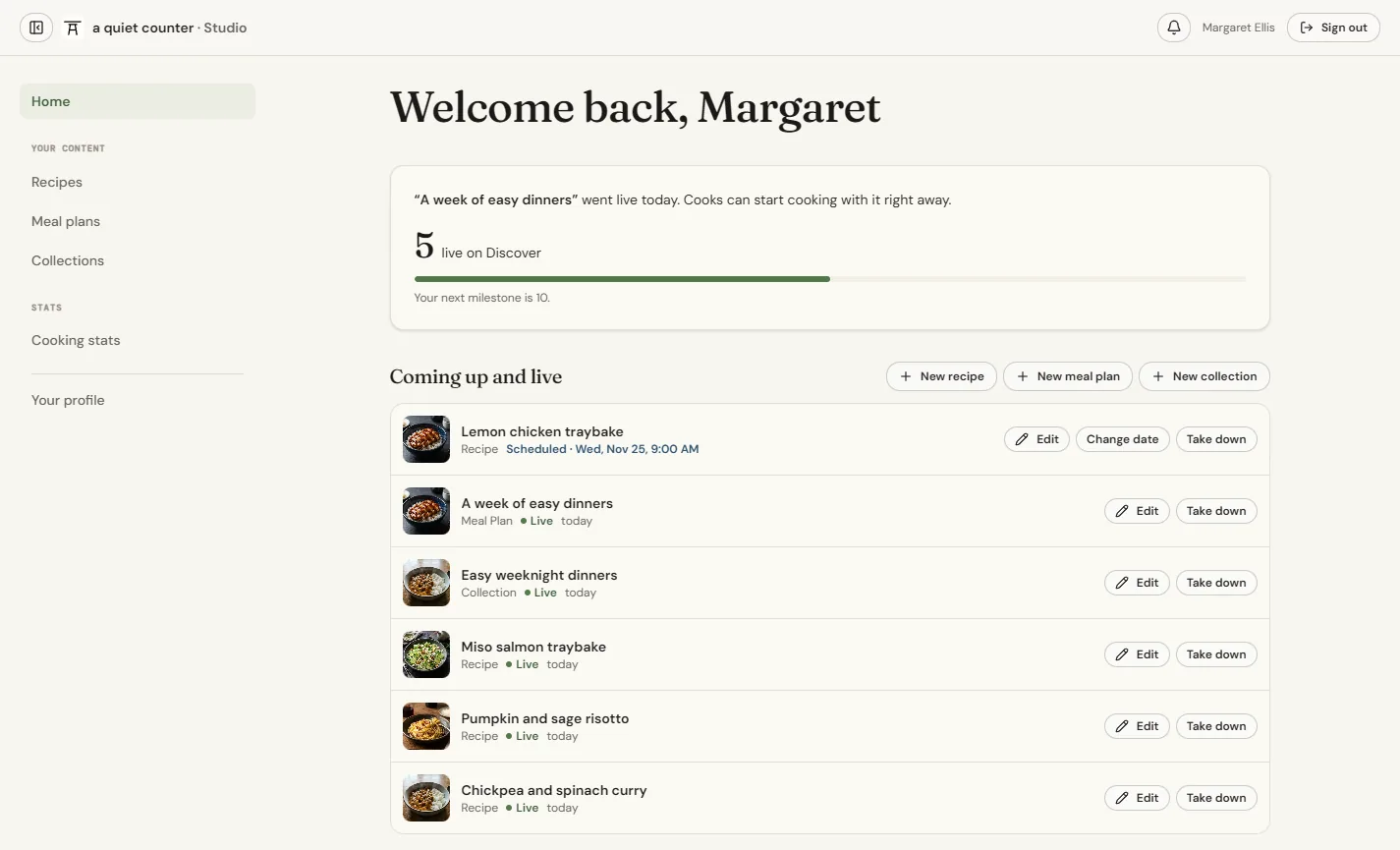
- Start publishing. You can publish recipes in batches as large or small as you like. The Discover feed is not time-based, so there is no harm in sending out all of your recipes at once. See publishing.
- Get your links. Make your links in the Earnings tab, one for each place you post, so you can track which sources work best.
- Optional: try it as a cook. Plan a week with your own recipes in the app or at app.aquietcounter.com.
Talking about the partnership
| Do say | Avoid |
|---|---|
| "I'm a partner of a quiet counter" or "@aquietcounter partner" | "I work for a quiet counter", "on the team", or any job title |
| "I'm partnering with a quiet counter" | "affiliate" or "ambassador" |
| "My recipes are on a quiet counter" | Anything that suggests we wrote or tested your recipes |
- You are an independent partner, not an employee.
- The name is always lower case: a quiet counter. The subscription is PLUS.
- Label posts that carry your link with #ad or the platform's paid-partnership tag. See disclosure.
Bringing cooks in
Pick whichever suits how you already post.
A kick-off post
Tell your audience about the partnership with your link in the caption or your bio.
"I'm excited to announce I'm partnering with a quiet counter to publish my recipes. My recipes are now in: add them to your week and the grocery list builds itself. Link in bio. #ad"
Seasonal collections
Group a few recipes around a season, holiday or occasion, publish the collection, then post about it.
"I've just released a collection of 8 Christmas sides on a quiet counter. Plan them into your week and get one shopping list for the lot. Link in bio. #ad"
Recipe codes in your captions
Any post with a recipe can point to the app. In Studio, open a live recipe and press Publish, then Get a recipe code. Codes never expire. Add a line to the caption, new or old:
"Add this recipe to your collection: in a quiet counter tap Add a recipe, then Enter a friend's recipe code, and type BASIL-4821."
A new cook who adds your recipe with its code within two days of joining counts as one of your sign-ups.
Meal plans (or "What I ate in a week")
A week of your dinners as a meal plan is easy to talk about: "Here's my week of dinners, added in one go, with the shopping list done." See meal plans.
Places your audience already looks
- your bio link on Instagram, TikTok and YouTube,
- your newsletter footer,
- your most visited blog recipes, with an Add to a quiet counter button from Sharing Kit in Studio,
- a link to one recipe, meal plan or collection: open it in Studio, press Publish, then Get a link.
Every link and button carries your own tracking, and shows in the Earnings tab.
Your stats show when cooks save your recipes. Schedule new recipes for those times.
Getting help
Write to your partner manager at [email protected]: recipes to bring in, an offer code for your audience, or anything that looks wrong. Short answers to common questions are in questions and words we use.